Gateron Switches Guide: A Comprehensive Overview (Updated 02/08/2026)
Gateron switches deliver a smooth‚ tactile typing experience‚ offering diverse options like Red‚ Blue‚ Brown‚ Black‚ Yellow‚ and Green․ They are generally
smoother than Cherry MX‚ though lifespan is 50 million keystrokes compared to Cherry MX’s 100 million․
Gateron switches have rapidly become a prominent force in the mechanical keyboard world‚ celebrated for delivering a premium typing experience at a more accessible price point․ Initially gaining recognition as a cost-effective alternative to the industry-standard Cherry MX switches‚ Gateron has since evolved‚ establishing itself with innovative designs and a diverse range of switch types․
These switches cater to a broad spectrum of preferences‚ encompassing linear‚ tactile‚ and clicky options – including popular choices like Red‚ Brown‚ Blue‚ Black‚ Yellow‚ and Green․ Beyond the core offerings‚ Gateron continually introduces new variations‚ such as the Gateron Pro and Ink series‚ pushing the boundaries of smoothness‚ sound‚ and overall feel․ A key advantage lies in their compatibility with hot-swappable keyboards‚ allowing for easy customization and experimentation․ Gateron’s commitment to quality and innovation makes them a compelling choice for both newcomers and seasoned mechanical keyboard enthusiasts․
What are Mechanical Keyboard Switches?
Mechanical keyboard switches are the individual components beneath each keycap that register a keystroke․ Unlike membrane keyboards which rely on pressure pads‚ mechanical switches utilize physical mechanisms to actuate‚ providing a distinct tactile feel‚ audible feedback‚ and enhanced durability․ These switches consist of a housing‚ stem‚ spring‚ and contacts․
The core difference between switch types lies in their actuation method – linear switches offer a smooth‚ consistent press‚ tactile switches provide a noticeable bump when activated‚ and clicky switches combine a tactile bump with an audible click․ Factors like actuation force (the amount of pressure needed to register a keypress) and travel distance (how far the key needs to be pressed) also influence the typing experience․ Mechanical switches boast a significantly longer lifespan‚ often rated for 50 to 100 million keystrokes‚ making them a worthwhile investment for frequent typists and gamers․
Gateron vs․ Cherry MX: A Key Comparison
Gateron switches have emerged as a popular alternative to the industry-standard Cherry MX switches‚ offering a compelling blend of performance and affordability․ Generally‚ Gateron switches are known for being smoother in operation than their Cherry MX counterparts‚ providing a more fluid typing experience․ However‚ a key distinction lies in durability; Cherry MX switches typically boast a lifespan of 100 million keystrokes‚ while most standard Gateron switches are rated for 50 million․
Regarding sound‚ Cherry MX Blue switches have a softer click compared to the sharper‚ louder click of Gateron Blue switches․ While Gateron offers a wide variety of switch types mirroring Cherry MX (Red‚ Brown‚ Black‚ etc․)‚ there are also unique Gateron options like the Milky Yellow Pro․ It’s important to note that Gateron and Cherry MX aren’t always directly equivalent; for example‚ Gateron Clear switches are linear‚ unlike Cherry MX Clear which are tactile․
Gateron Switch Types: An Overview
Gateron offers a diverse range of mechanical keyboard switches catering to various preferences․ Linear switches‚ such as the Gateron Red‚ Yellow‚ and Black‚ provide a smooth‚ consistent keypress without tactile feedback․ The Gateron Yellow is particularly popular‚ offering a slightly heavier actuation force than the Red‚ and the G Pro 2․0 Yellow boasts a quieter rebound․ Heavier still‚ the Black switch requires more force to actuate․
Tactile switches‚ like the Gateron Brown and Clear‚ deliver a noticeable bump during the keypress‚ providing feedback without the audible click․ The Clear switch offers a stronger tactile response․ Finally‚ Clicky switches – Gateron Blue and Green – combine tactile feedback with a distinct audible click․ The Green switch is a heavier-actuation version of the Blue․ Gateron also produces premium options like the Ink switches‚ known for their enhanced feel and materials․
Linear Gateron Switches
Linear Gateron switches – Red‚ Yellow‚ and Black – provide a smooth‚ consistent keypress without tactile feedback‚ favored for gaming and fast typing experiences․
Gateron Red Switches: Characteristics and Use Cases
Gateron Red switches are a popular choice within the mechanical keyboard community‚ renowned for their linear operation and relatively light actuation force of 45 grams․ This makes them exceptionally smooth and easy to press‚ requiring minimal effort for each keystroke․ Unlike tactile or clicky switches‚ Reds offer no tactile bump or audible click‚ resulting in a quiet and fluid typing experience․
Their lightweight nature makes them particularly well-suited for gamers‚ as they allow for rapid and repeated key presses without fatigue․ This responsiveness is crucial in fast-paced games where quick reactions are essential․ However‚ Gateron Reds aren’t limited to gaming; they are also favored by typists who prefer a smooth and effortless typing feel․
While smoother than Cherry MX Reds‚ Gateron Red switches are designed for a lifespan of 50 million keystrokes‚ compared to the 100 million offered by Cherry MX․ Despite this difference‚ they remain a reliable and cost-effective option for building or upgrading a mechanical keyboard․
Gateron Yellow Switches: Smoothness and Quiet Rebound
Gateron Yellow switches have gained significant popularity among keyboard enthusiasts‚ celebrated for their smooth linear feel and relatively quiet operation․ Similar to Gateron Red switches‚ Yellows are linear‚ meaning they lack a tactile bump or audible click․ However‚ they feature a slightly heavier actuation force of 50 grams‚ providing a more substantial feel without being overly demanding․
This increased weight contributes to a different typing experience‚ often described as more deliberate and controlled․ The “G Pro 2․0 Yellow” variant specifically boasts a quieter rebound sound compared to earlier Gateron Yellow iterations‚ making them ideal for environments where noise is a concern․ They are a fantastic middle ground for those seeking smoothness without sacrificing all feedback․
Gamers and typists alike appreciate the responsiveness and comfort of Gateron Yellows․ While offering a smooth experience‚ remember they share the 50 million keystroke lifespan common to many Gateron switches‚ compared to Cherry MX’s 100 million․
Gateron Black Switches: Heavier Actuation Force
Gateron Black switches represent the heavier end of the linear Gateron spectrum‚ requiring a substantial 60 grams of actuation force․ These switches are designed for users who prefer a more deliberate and resistant keypress‚ minimizing accidental activations and offering a solid‚ grounded typing experience․ They are a popular choice among gamers who desire precise control and reduced fatigue during extended play sessions․
The increased actuation force means you need to apply more pressure to register a keystroke‚ which can be beneficial for preventing unintentional inputs․ Like other Gateron linear switches – Red and Yellow – Blacks lack any tactile feedback or audible click‚ providing a consistently smooth and quiet operation․
However‚ it’s important to note that the 50 million keystroke lifespan is standard for Gateron switches‚ differing from the 100 million offered by some Cherry MX alternatives․ If you prioritize a robust‚ weighty feel and precise control‚ Gateron Black switches are an excellent option․
Gateron Milky Yellow Pro Switches: Enhanced Smoothness
Gateron Milky Yellow Pro switches build upon the already popular Gateron Yellow‚ focusing on delivering an even smoother and refined typing experience․ These switches are a linear type‚ meaning they offer a consistent keypress without any tactile bump or audible click․ The “Pro” designation signifies improvements in materials and manufacturing processes‚ resulting in reduced friction and a more fluid feel․
Compared to the standard Gateron Yellow‚ the Milky Yellow Pro boasts a quieter rebound sound‚ making them a preferred choice for users seeking a discreet yet responsive switch․ They maintain the 50g actuation force of the original Yellow‚ providing a balanced weight that’s neither too light nor too heavy․
These switches are frequently showcased in hot-swappable keyboard builds‚ like the KBD67 Lite‚ demonstrating their compatibility with a wide range of keyboard kits․ They represent a step up in quality and smoothness within the Gateron linear family‚ appealing to enthusiasts who prioritize a premium typing feel․
Tactile Gateron Switches
Gateron offers tactile switches like Brown and Clear‚ providing a noticeable bump during keypresses․ These are ideal for typists desiring feedback and confirmation․
Gateron Brown Switches: A Balanced Tactile Experience
Gateron Brown switches are a popular choice for those seeking a balanced tactile experience in a mechanical keyboard․ They provide a noticeable bump when the actuation point is reached‚ offering feedback without the loud click of Blue switches․ This makes them versatile‚ suitable for both typing and gaming‚ appealing to a broad range of users․
The actuation force of Gateron Browns is moderate‚ typically around 45 grams‚ making them comfortable for extended typing sessions․ This weight prevents accidental key presses while remaining light enough for quick reactions during gameplay․ Many users appreciate their quiet operation compared to clicky switches‚ making them suitable for shared office spaces or quieter environments․
Compared to Cherry MX Brown switches‚ Gateron Browns are often praised for their smoothness and consistent tactile feedback․ They represent a cost-effective alternative without significantly compromising on quality or performance‚ making them an excellent entry point into the world of tactile mechanical switches․
Gateron Clear Switches: Stronger Tactile Feedback
Gateron Clear switches deliver a more pronounced tactile experience compared to Gateron Brown switches‚ catering to users who prefer a stronger‚ more definitive bump when typing․ They are a fantastic option for those who want clear feedback with each keystroke‚ enhancing typing accuracy and providing a satisfying tactile response․
With an actuation force of approximately 55 grams‚ Gateron Clears require slightly more force to activate than Browns‚ which can help reduce accidental key presses․ This increased resistance also contributes to a more substantial tactile bump‚ making it easier to feel when a key has been registered․ They are often favored by typists who enjoy a more deliberate and tactile typing experience․
Notably‚ Gateron Clear switches are linear‚ while Cherry MX Clear switches are tactile․ This distinction is crucial when considering alternatives․ They offer a compelling balance between tactile feedback and operational force‚ making them a solid choice for enthusiasts seeking a more engaging mechanical keyboard experience․

Clicky Gateron Switches
Gateron clicky switches‚ like Blue and Green‚ provide a loud‚ distinct click and tactile bump with each keystroke‚ ideal for users desiring audible feedback․
Gateron Blue Switches: Loud and Distinct Click
Gateron Blue switches are renowned for their incredibly audible and tactile experience‚ making them a favorite among typists who enjoy a pronounced feedback mechanism․ These switches feature a distinct “click” sound accompanied by a noticeable tactile bump when the actuation point is reached․ This combination provides both an auditory and physical confirmation of each keypress‚ enhancing typing accuracy and speed for some users․
Compared to Cherry MX Blue switches‚ Gateron Blues often present a sharper and louder click‚ appealing to those who prefer a more assertive sound profile․ While both offer a similar tactile experience‚ the Gateron variant tends to be more pronounced in its auditory feedback․ This makes them a popular choice for users who want to clearly hear and feel every keystroke․
However‚ the loudness of Gateron Blue switches can be a drawback in shared office spaces or quiet environments․ They are best suited for individuals who work in private settings or those who don’t mind the audible click․ Despite this‚ their responsiveness and tactile feedback make them a compelling option for enthusiasts and dedicated typists alike․
Gateron Green Switches: Heavier Clicky Option
Gateron Green switches represent a heavier-duty alternative within the clicky switch family‚ building upon the characteristics of the popular Gateron Blue switches․ While sharing the same audible click and tactile bump‚ Greens require a significantly higher actuation force – typically around 80g compared to the Blue’s 60g․ This increased resistance provides a more substantial and deliberate feel with each keypress‚ potentially reducing accidental actuations and offering a more controlled typing experience․
This heavier weighting makes Gateron Greens particularly appealing to users who prefer a more robust and demanding switch․ They can be beneficial for those who bottom out their keys frequently or desire a switch that requires more intentional effort to activate․ However‚ the increased force can also lead to fatigue during extended typing sessions‚ so they aren’t ideal for everyone․
Essentially‚ Gateron Greens offer the satisfying click of the Blues‚ but with added resistance‚ catering to a specific preference for a heavier‚ more tactile feel․ They are a solid choice for users seeking a clicky switch with a more substantial presence․
Gateron Switch Features & Technology
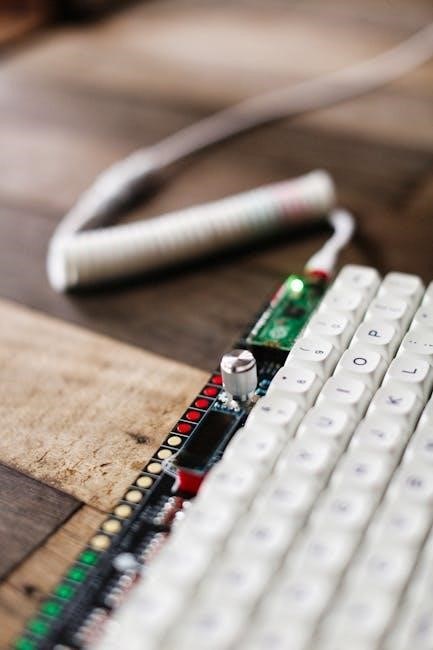
Gateron continually innovates with Pro switches and premium Ink lines‚ enhancing smoothness and feel․ They also boast broad hot-swappable socket compatibility․
Gateron Pro Switches: Innovations and Improvements
Gateron Pro switches represent a significant leap forward in mechanical keyboard technology‚ focusing on refined smoothness and enhanced durability․ These switches build upon the foundation of standard Gateron switches‚ incorporating several key innovations to elevate the typing experience․ Notably‚ the G Pro 2․0 Yellow variant features a quieter rebound sound compared to previous Gateron Yellow iterations‚ appealing to users seeking a less noisy linear switch․
Improvements extend to the internal construction‚ with a focus on tighter tolerances and optimized materials․ This results in reduced wobble and a more consistent keypress feel across the entire keyboard․ The Pro series aims to bridge the gap between Gateron’s affordability and the premium feel of higher-end switches․ They are designed for hot-swappable keyboards‚ ensuring easy customization and compatibility with a wide range of keyboard kits and builds‚ supporting Cherry‚ Outemu‚ Gateron‚ and Kailh switches․
Gateron Ink Switches: Premium Materials and Feel
Gateron Ink switches are positioned as a premium offering within the Gateron lineup‚ distinguished by their use of high-quality materials and a focus on delivering a superior tactile and auditory experience․ These switches utilize a unique blend of polymers and advanced manufacturing processes to achieve exceptional smoothness and responsiveness․ The “Ink” designation refers to the distinct sound profile these switches produce – a deeper‚ more resonant tone compared to standard Gateron switches․
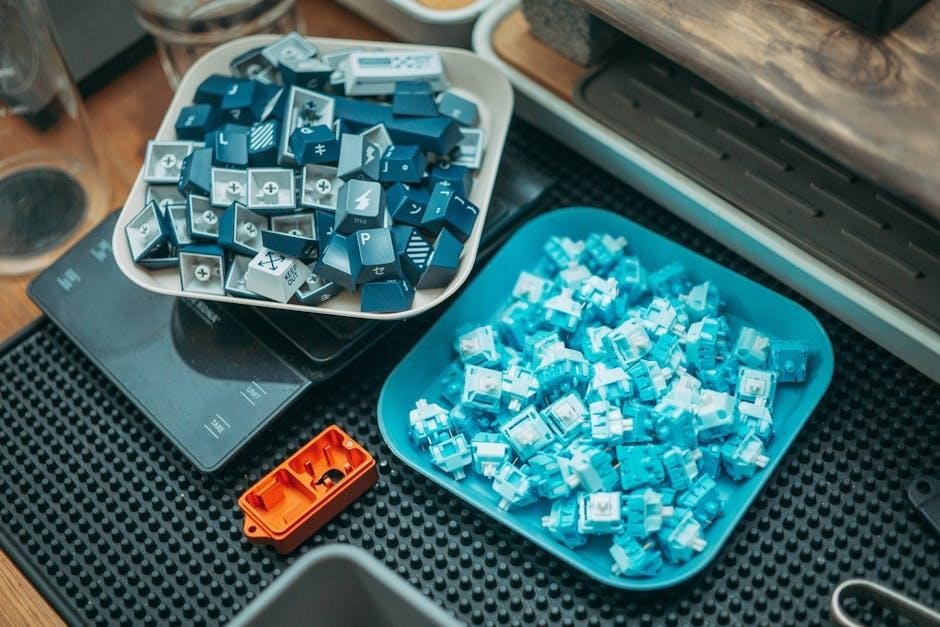
Available in various types‚ including Black Ink V2‚ Red Ink‚ and Yellow Ink‚ each variant offers a unique feel and actuation force․ The housings are crafted with precision‚ minimizing wobble and ensuring consistent key travel․ Gateron Ink switches are highly sought after by keyboard enthusiasts who prioritize both performance and aesthetics‚ often paired with custom keycaps and modified stabilizers to create a truly personalized typing experience․ They are fully compatible with hot-swappable sockets․
Hot-Swappable Compatibility: Gateron and Hot-Swap Sockets
Gateron switches are exceptionally well-suited for use with hot-swappable keyboards‚ a feature rapidly gaining popularity among mechanical keyboard users․ Hot-swap sockets‚ such as those offered by Kailh and Millmax‚ allow for the easy installation and removal of switches without requiring soldering․ This provides unparalleled customization options‚ enabling users to experiment with different switch types and find their perfect feel․
The standard MX-style pins on Gateron switches ensure broad compatibility with the vast majority of hot-swap sockets currently available․ This means you can effortlessly swap between Gateron Red‚ Blue‚ Brown‚ or any other Gateron variant without any modification to the keyboard itself․ This feature is particularly appealing to those new to mechanical keyboards‚ allowing them to explore the world of switches without the commitment of soldering․ Many keyboards are designed to support Cherry‚ Outemu‚ Gateron‚ and Kailh switches․
Gateron Switch Specifications
Gateron switches vary in actuation force‚ travel distance‚ and lifespan; commonly 50 million keystrokes‚ though some‚ like Cherry MX‚ reach 100 million․
Actuation Force: Understanding Switch Weight
Actuation force‚ measured in grams (gf)‚ dictates how much pressure is needed to register a keystroke․ Gateron switches cater to diverse preferences with varying weights․ Lighter switches‚ like Gateron Red (45gf) and Yellow (50gf)‚ require minimal effort‚ ideal for fast typing and gaming‚ reducing fatigue during extended use․ Heavier options‚ such as Gateron Black (60gf) and Green (80gf)‚ demand more deliberate presses‚ preventing accidental key activations and offering a more substantial feel․
Gateron Clear switches‚ a tactile option‚ typically have an actuation force of 55gf․ Understanding these differences is crucial for selecting a switch that aligns with your typing style and desired experience․ Lower actuation forces are generally preferred by gamers for quicker response times‚ while typists might favor heavier switches for increased accuracy and tactile feedback․ The Gateron Pro Yellow‚ for example‚ offers a slightly heavier feel than standard yellows․
Travel Distance: How Deep the Key Presses
Travel distance refers to how far a key must be pressed downwards to register an input․ Most Gateron switches‚ mirroring industry standards like Cherry MX‚ have a total travel distance of approximately 4mm․ This is divided into two key components: the actuation point – where the keypress is registered – and the bottom-out point – when the key is fully depressed;
Typically‚ Gateron switches actuate around 2mm‚ meaning a keystroke is registered before the key is fully pressed down․ This contributes to faster response times‚ particularly beneficial in gaming․ While the total travel distance remains consistent across most Gateron models‚ the feel can vary due to differences in spring weight and switch design․ Some users prefer shorter travel distances for quicker actuation‚ while others appreciate the full 4mm for a more deliberate and satisfying typing experience․ Hot-swappable keyboards easily allow experimentation with different switches and travel feels․
Lifespan: Keystroke Durability (50 Million vs 100 Million)
A crucial factor when evaluating mechanical keyboard switches is their lifespan‚ measured in keystrokes․ Gateron switches are generally rated for 50 million keystrokes‚ a robust number for most users‚ ensuring years of reliable performance․ However‚ this is often contrasted with Cherry MX switches‚ which boast a lifespan of 100 million keystrokes․
While 50 million keystrokes may seem lower‚ it still represents substantial durability․ For typical users‚ reaching this limit would take many years of heavy use․ The difference primarily stems from material choices and manufacturing processes․ Despite the difference‚ Gateron switches offer excellent value‚ delivering a premium typing experience at a more accessible price point․ Furthermore‚ proper care‚ like avoiding excessive force‚ can extend the lifespan of any mechanical switch‚ regardless of its initial rating․
Modding Gateron Switches
Gateron switches can be customized through lubrication to improve smoothness and sound‚ or filming to reduce wobble and enhance the overall typing feel․
Lubrication: Improving Smoothness and Sound
Lubricating Gateron switches is a popular modding technique to significantly enhance their smoothness and refine their sound profile․ Applying a thin layer of lubricant to the internal components – specifically the stem‚ housing‚ and spring – reduces friction between moving parts․ This results in a noticeably smoother keypress‚ minimizing scratchiness and improving the overall typing experience․
Different lubricants offer varying levels of viscosity and sound dampening; Krytox 205g0 is a commonly recommended lubricant for its excellent smoothness and minimal impact on switch feel․ For those prioritizing sound‚ thicker lubricants like Krytox GPL 105 can further dampen noise․ Careful application is crucial; excessive lubricant can lead to a mushy feel or even switch malfunction․ The process involves disassembling the switch‚ applying the lubricant with a fine brush‚ and reassembling it‚ demanding patience and precision for optimal results․
Filming: Reducing Wobble and Enhancing Sound
Switch filming is a modification technique used to address wobble in Gateron switches‚ improving stability and potentially enhancing sound․ Films are thin plastic or polycarbonate sheets placed between the top and bottom housings of the switch․ These films fill the small gap‚ minimizing housing movement and reducing unwanted side-to-side wobble during keypresses․
This results in a more solid and consistent typing feel‚ as well as a cleaner sound profile․ Different film materials affect the sound; polycarbonate films generally produce a brighter sound‚ while softer materials like TX films offer a more dampened tone․ Installation requires careful alignment of the film within the switch housing․ While filming can significantly improve switch feel and sound‚ it’s often recommended after lubrication for optimal results‚ creating a refined and premium mechanical keyboard experience․
Choosing the Right Gateron Switch
Selecting the ideal Gateron switch depends on your needs: linear for gaming‚ tactile for balanced typing‚ or clicky for audible feedback and distinct key presses․
Gaming vs․ Typing: Which Switch is Best?
For gaming‚ linear Gateron switches – like Reds or Yellows – are often preferred due to their smooth‚ consistent keypresses without tactile bumps or clicks․ This allows for rapid‚ uninterrupted actions‚ crucial in fast-paced games․ The lighter actuation force of Red switches can reduce fatigue during extended gaming sessions‚ while Yellows offer a slightly heavier feel․
However‚ for typing‚ the “best” switch is more subjective․ Tactile switches‚ such as Browns or Clears‚ provide feedback that confirms each keypress‚ potentially increasing typing accuracy and speed․ The tactile bump can be satisfying and help prevent bottoming out․ Clicky switches‚ like Blues or Greens‚ offer both tactile feedback and an audible click‚ which some typists find incredibly satisfying‚ though they can be noisy․
Ultimately‚ the choice depends on personal preference․ Some gamers enjoy the tactile feedback of Browns‚ while some typists prefer the speed of Reds․ Experimentation is key to finding the switch that best suits your individual style and needs․
Sound Preference: Linear‚ Tactile‚ or Clicky?
Gateron switches offer a wide spectrum of sound profiles‚ catering to diverse preferences․ Linear switches‚ like Reds‚ Blacks‚ and Yellows‚ are the quietest‚ producing a smooth‚ consistent sound with minimal noise․ They’re ideal for noise-sensitive environments or those who prefer a discreet keyboard․
Tactile switches‚ such as Browns and Clears‚ generate a noticeable “thock” sound upon actuation‚ resulting from the tactile bump․ This sound is moderate in volume and provides auditory feedback․ The Gateron Clear switches‚ while tactile‚ are generally quieter than their Cherry MX counterparts․
Clicky switches – Blues and Greens – are the loudest‚ featuring a distinct‚ high-pitched click with each keypress․ Cherry MX Blues have a softer click‚ while Gateron Blues deliver a sharper‚ louder sound․ These are best suited for those who enjoy a pronounced auditory experience‚ but may not be ideal for shared spaces․
Consider your environment and personal preference when selecting a switch based on sound․